

Authenticating Users
Login procedures vary depending on the authentication method configured by your organization.
There are two primary authentication methods:
- Standard Login
- Single Sign-on Authentication
Standard Login
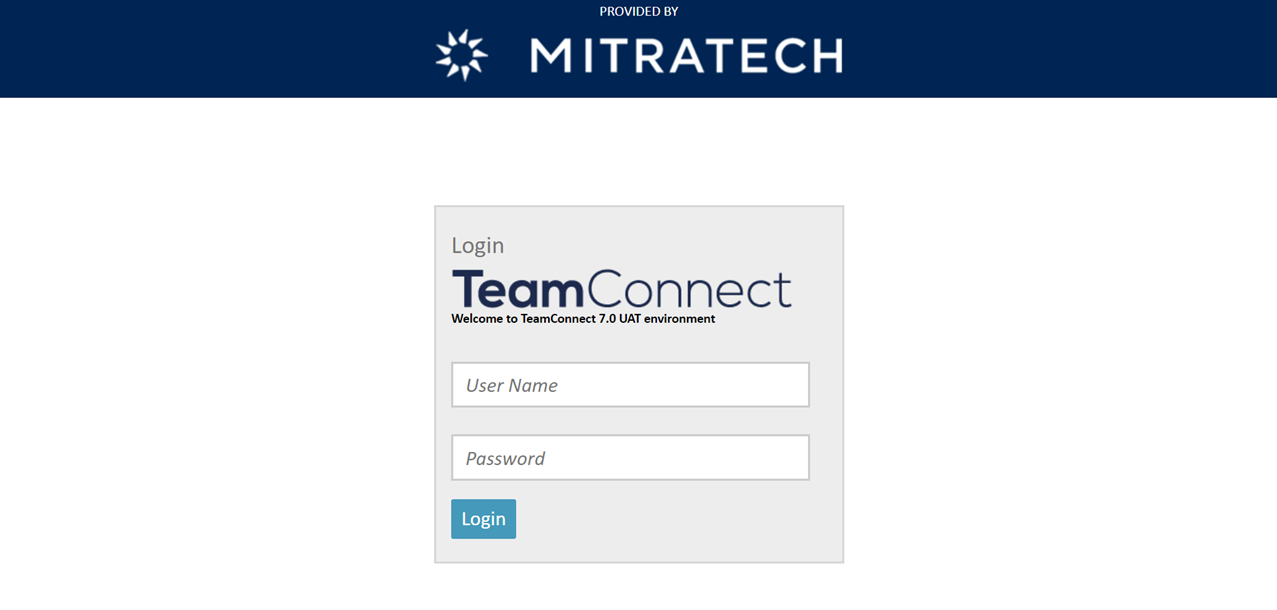
If you access the login URL and see a screen with a username and password, your organization uses standard login authentication. This type of authentication compares your username and password with stored information and grants access if the credentials match.
For more information about standard login, including instructions for using the Forgot Password functionality, see Logging In.
| TCE Login Page – v7.0 and earlier | TCE Login Page – v7.1 and later |
|---|---|
 |
 |
Single Sign-on (SSO) Authentication
Single sign-on (SSO) authentication allows you to log in without entering a username and password. When SSO is enabled, the system authenticates you automatically by using your existing network credentials.
If authentication is successful, a new browser window opens and displays your home page.
If you close the browser window or your session expires, you cannot reuse the original window, even if you are still authenticated on the local network. To sign in again using single sign-on, open a new browser window and navigate to the login URL.
For more information about configuring or using single sign-on, see the documentation appropriate for your TeamConnect Enterprise version:
- TeamConnect Enterprise (TCE) version 6.0 and earlier: See the TeamConnect SAML SSO Installation and Setup.
- TeamConnect Enterprise (TCE) version 8.0 and later: See the SAML 2.0 SSO Installation and Configuration Guide for TeamConnect Enterprise v8.0+.
Note: TeamConnect supports authentication through SAML and LDAP. Support for NTLM authentication has been discontinued.
LDAP-Based Authentication
Your organization can configure TeamConnect to use your network (LDAP) username and password instead of a separate TeamConnect password. In this case, your login experience might be different from users who use standard login.
How the login process works
- When you access the main TeamConnect URL, you are automatically redirected to an LDAP login page (
/ldap/login). - The LDAP login page accepts only LDAP credentials (your directory or network username and password).
- If your LDAP password is different from your TeamConnect application password, only your LDAP password works on this page.
In some environments, the standard TeamConnect login page (/standardLogin) might still be available if you navigate to it directly and your administrator has exposed it.
That page:
- Accepts only the TeamConnect application password.
- Does not accept LDAP credentials.
- Is typically used only in special scenarios, such as by administrators, and is not part of the normal login process for most users.
What this means for users
- Use your LDAP username and password when you access TeamConnect through:
- The main TeamConnect URL.
- An SSO or portal link that opens TeamConnect.
- A bookmarked link that your organization provides and that routes you to the LDAP login page.
- If you cannot sign in:
- Confirm which login page you are viewing (LDAP login page or standard TeamConnect login page).
- Make sure that you enter the credentials expected for that page.
- If you are not sure which credentials to use or which login page is correct for you, contact your TeamConnect administrator or your IT support team.
- If your organization does not use LDAP-based authentication, this behavior does not apply.
- If your username in TeamConnect does not match your network username, or if your TeamConnect account is inactive, you will not be able to sign in, even if your LDAP password is correct. Contact your TeamConnect administrator or IT support if you suspect this is the case.