

Enhanced Risk Assessment template management with flexible save options
We improved the workflow for loading and saving Risk Assessment templates during audits. Users now have clear options to manage Master Templates and Favorite Templates:
- Users can load either a Master Template or a Favorite Template for a Risk Assessment.
- Users can save a loaded Master Template, a newly created template, or an edited Favorite Template as a Favorite Template.
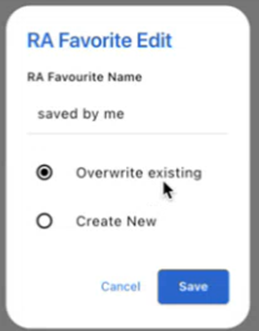
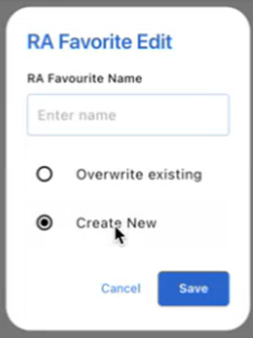
- When saving as a Favorite, users are prompted to:
- Overwrite Existing – Replace the current Favorite Template.
- Create New – Save as a new Favorite Template with a custom name.
Behavior Details
- If the current template is a Favorite Template:
- The Overwrite Existing option is pre-selected.
- The Template Name field is disabled and displays the current favorite template name.
- Selecting Create New enables the Template Name field and clears it for input.
- If the current template is a Master Template:
- The Overwrite Existing option is disabled.
- The Create New option is selected by default.
- The Template Name field is enabled and blank for input.